/
Clevera vs Loom: tutorials or quick messages?
Loom is built for quick async video messages you narrate yourself. Clevera is one content tool for both sides of your business: tutorials, training and help articles that teach, plus demos, teasers and social videos that sell.
Updated October 2026 · Based on each product’s public website

One tool for both sides of your business
Clevera makes the content that teaches your customers and the content that sells to them.

Learning and support
Tutorials, onboarding videos, training and help-center articles your customers and team can actually follow.
Tutorials
Onboarding
Training
Help articles
Walkthroughs

Marketing and sales
Product demos, launch teasers, promo videos and social clips with motion graphics, voiceover and music.
Product demos
Teasers
Launch videos
Social clips
Promos
Start from
A screen recording
A website link
A PDF or doc
A prompt
The short answer
Loom is the faster way to send a quick video message, and Clevera is the better way to publish a polished tutorial or demo.
Best for learning and marketing content

You need learning content and marketing videos from one tool: tutorials, help articles, demos, teasers and social clips.
You want to start from a screen recording, a website link, a PDF or just a prompt.
You want AI avatars, motion graphics and chat-based editing in every paid plan.
Best for quick async video messages

You send quick async updates, feedback or bug reports to teammates and customers.
You want meeting recordings with AI notes and recaps, plus Jira, Confluence and Slack ties.
You want a low per-seat price and a free plan for a large team.
Why teams choose Clevera
Everything below runs in the product today.
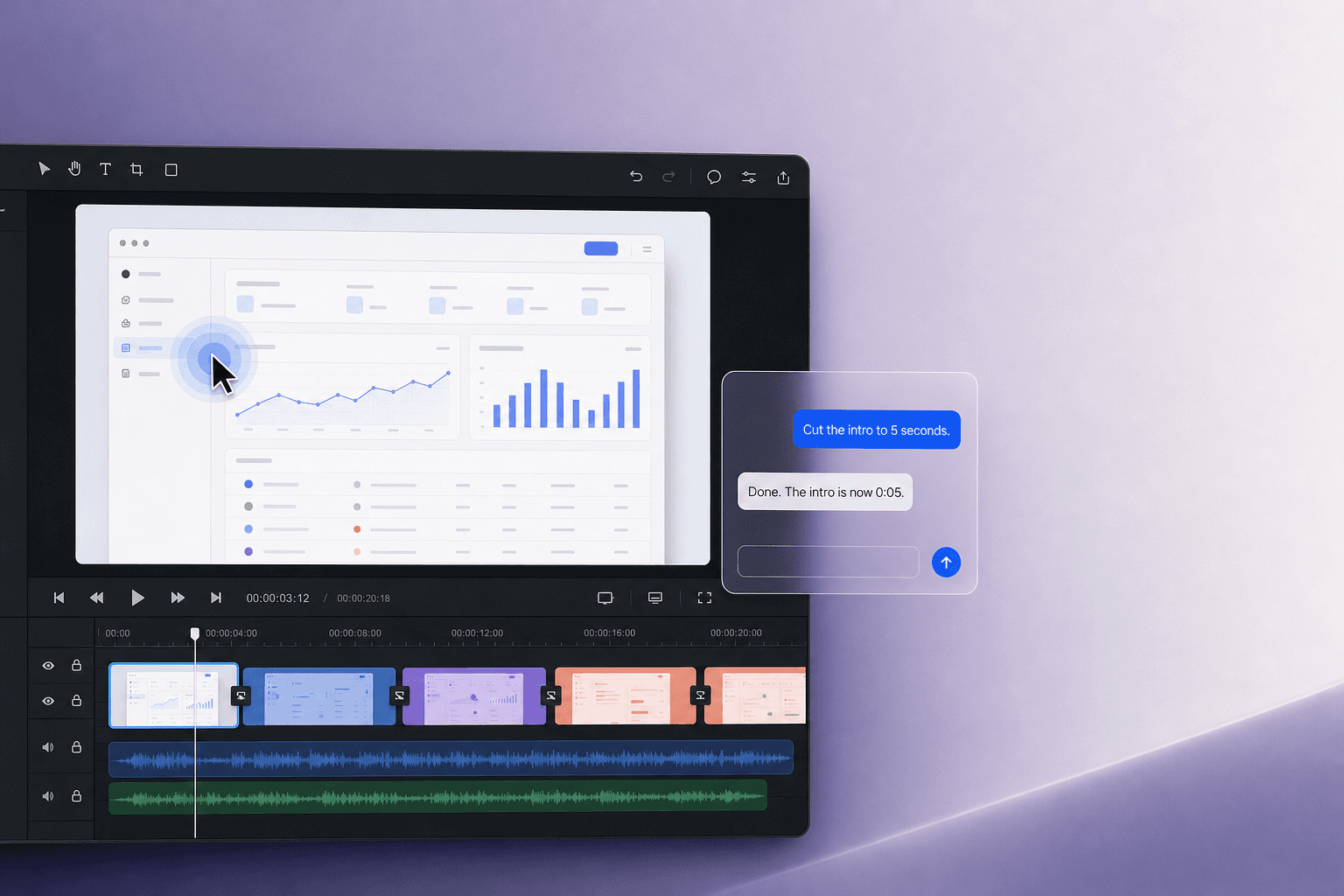
Edit by chatting
Ask for changes in plain words: trim the intro, warm up the voice, restyle a scene. Fine-tune anything else on the timeline.

AI avatar presenter
Put a presenter on screen to walk viewers through your product. Hundreds of avatars, on Starter and above.

Let the AI agent record
Describe the task. The Clevera agent clicks through your app, records it and writes the article for you.
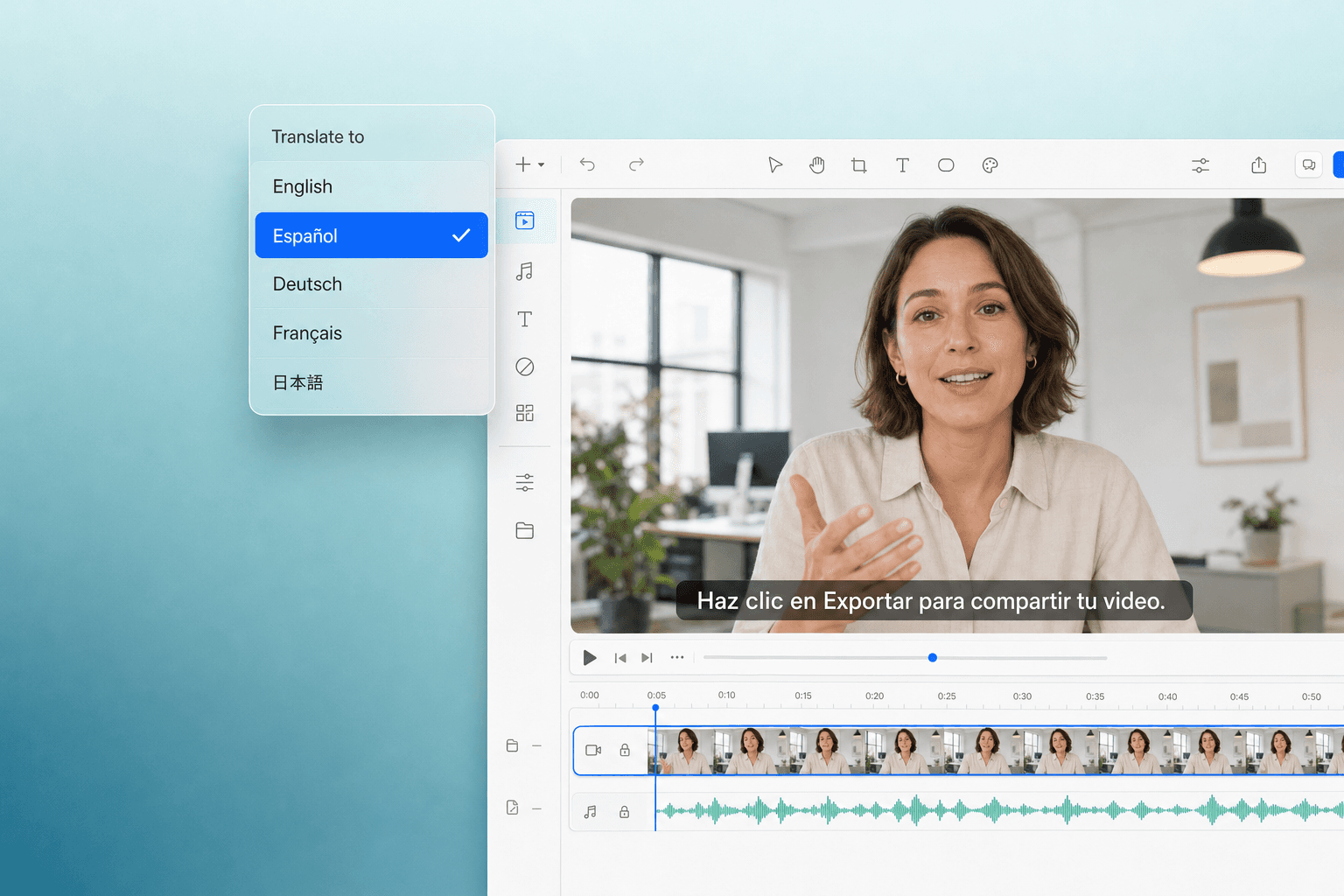
74 languages on every plan
Translate videos and help articles into 74 languages from the same project, with no add-on to buy.
Feature by feature
How Clevera and Loom compare on the things teams ask about most.
Pricing at a glance
Public list prices, checked October 2026.
Free
100 credits a month, videos up to 3 min
$0
Starter
1 creator, 900 credits, 2K exports
$29/mo
Pro
2 creators, 4,000 credits, 4K, integrations
$86.80/mo
Custom
SSO and tailored limits
Let’s talk
Billed yearly. Monthly billing: Starter $36, Pro $124. Exports never use credits, and editors are free.
Starter
25 videos, 5 min recordings, 720p
$0
Business
Unlimited videos, up to 4K, trim and stitch
$18/user/mo
Business + AI
Filler word removal, edit by transcript, AI notes
$24/user/mo
Enterprise
SSO, SCIM, 99.95% uptime SLA
Let’s talk
From loom.com/pricing, checked October 2026. Their page shows a ’save up to 17%’ annual toggle without separate annual prices. Prices can change.
Common questions
Straight answers about choosing between Clevera and Loom.
Is Clevera cheaper than Loom?
No, Loom costs less per seat: $18 or $24 per user a month against $29 for Clevera Starter. Clevera includes AI narration, translations and unlimited free editors, so the right choice depends on what you publish.
What does Loom do better than Clevera?
Loom is faster for quick async messages, has apps for desktop, browser and mobile, records meetings with AI notes, and is used by 400,000 companies per Loom. It also fits Atlassian teams well.
Can Loom remove filler words?
Yes. Loom lists filler word removal, silence removal and edit by transcript on Business + AI at $24 per user a month. Clevera cuts pauses and mistakes automatically and writes the narration for you.
Does Loom have AI voiceover or avatars?
Not listed on Loom’s site. You record your own voice and camera. Clevera writes and voices the narration, and offers AI avatars on Starter and above.
Does Loom translate videos?
Loom lists transcripts and captions in 50+ languages. Translation is not mentioned on its pricing page. Clevera translates voiceover, on-screen text and articles into 74 languages on all plans.

Create your first video free
Start from a screen recording, a website link, a PDF or a prompt. No credit card needed.