AI documentation generator
Screenshots cut for you
70+ languages
PDF, Word, Markdown
Free to start
Trusted by 3000+ companies WorLdwide







From one recording
to a finished article.
Your words become the article
Clevera writes from what you did and said on screen, and never invents buttons, steps or results.
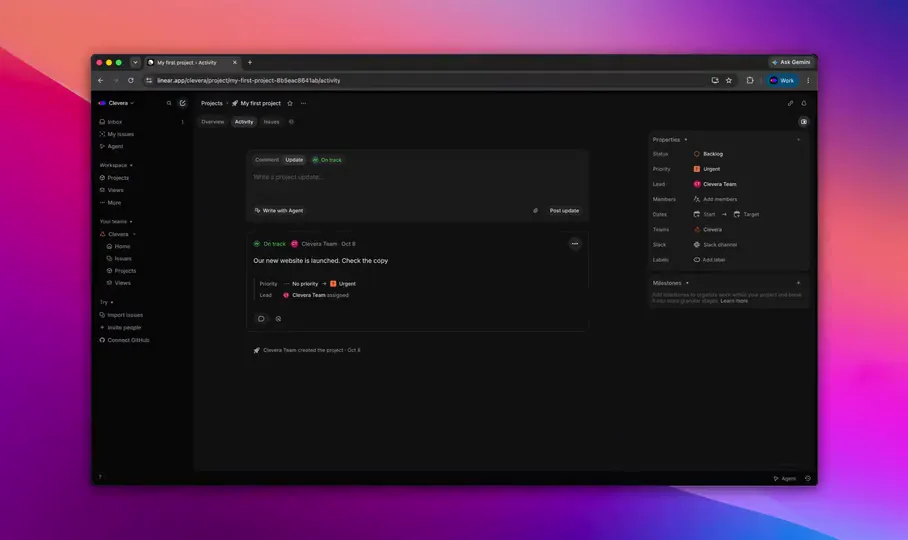
Screenshots cut at every click
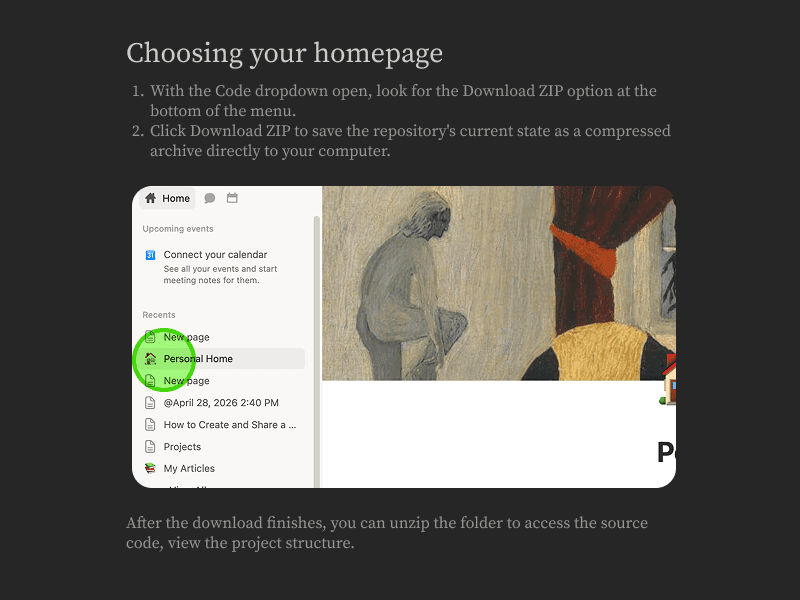
Frames come straight from your recording with a ring where you clicked. Swap any frame, or add arrows, boxes and crops.
Structured to be found
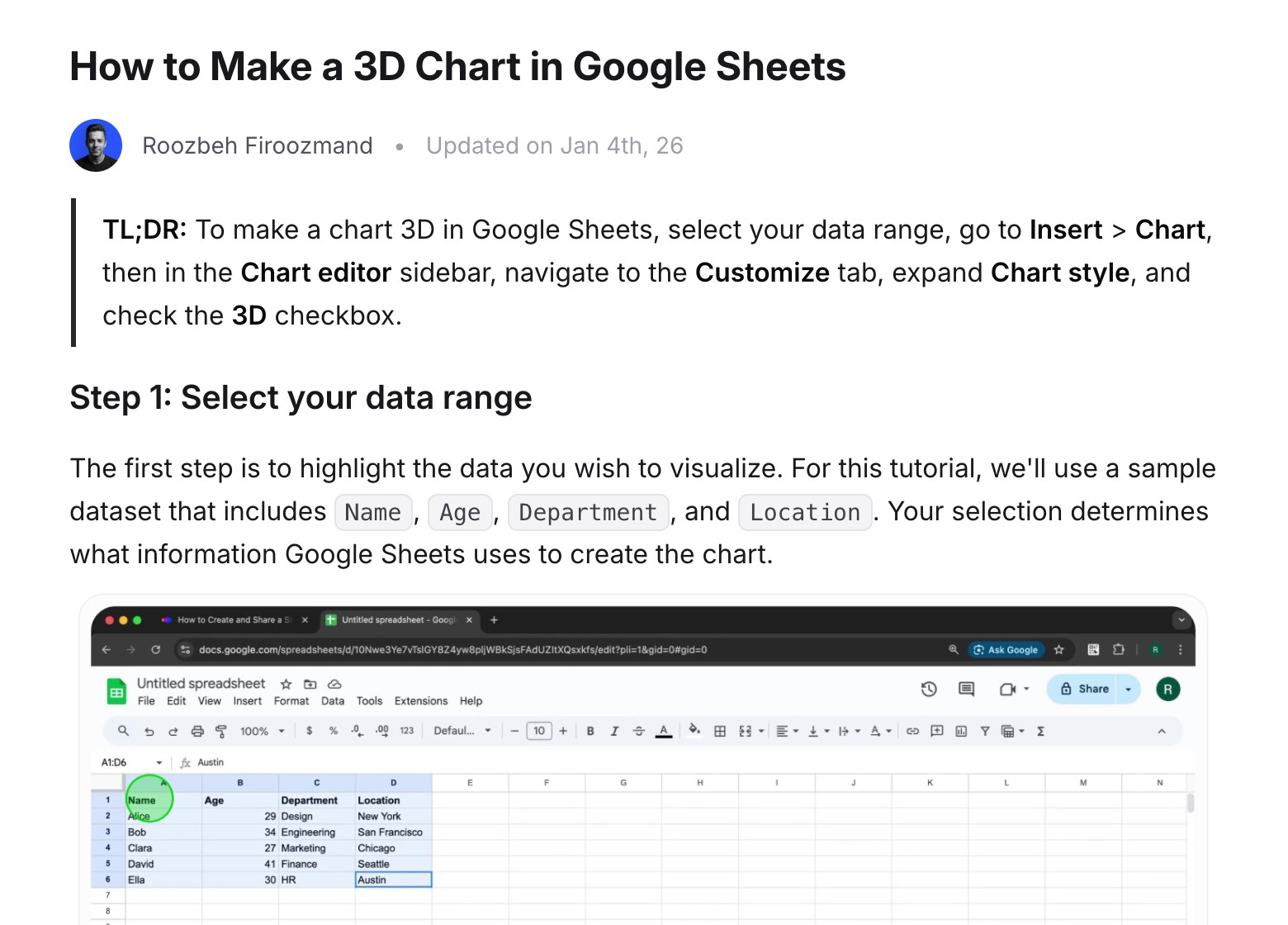
A TL;DR, clear step headings, callouts, tables and an optional FAQ.
Building a knowledge base? Read our guide to knowledge base generators.
Five documents,
one recording.
How-to article
Every step in order, with the screenshot that shows it.
Your depth, your tone
Pick how deep it goes and how it sounds, or leave both on Auto.
Article settings
Depth
Brief
Standard
In-depth
Tone
Professional
Friendly
Technical
Conversational
Friendly · Standard
Open Reports, pick the date range you want, then click Export. Your file downloads in a few seconds. |
Troubleshooting
Symptom, cause and fix, for the tickets you keep answering.
SOP
A repeatable procedure your team can follow every time.
Blog post
Turn a walkthrough into a post worth publishing.
Product update
What shipped, and exactly how to use it.
5
article types
4
tones
70+
languages
An editor your team
already knows.
Slash in a callout, a table, a toggle or a video. Edit together in real time, ask the AI to improve a paragraph, and roll back to any earlier version.
/ callout
Callout
Table
Toggle
Video
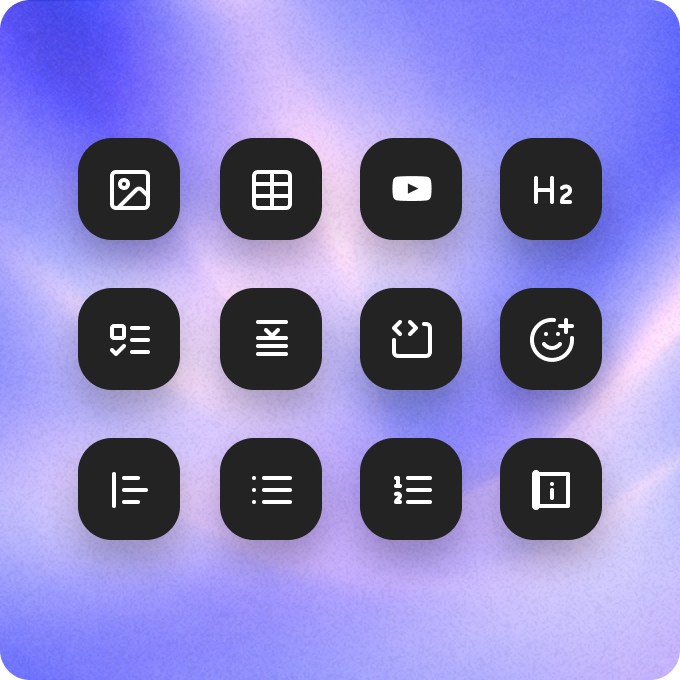
Every block you need
Callouts, tables, toggles, code, images and embedded videos, from one slash menu.
MR
LK
JS
Maya
Leo
Live collaboration
Write and review together, with live cursors.
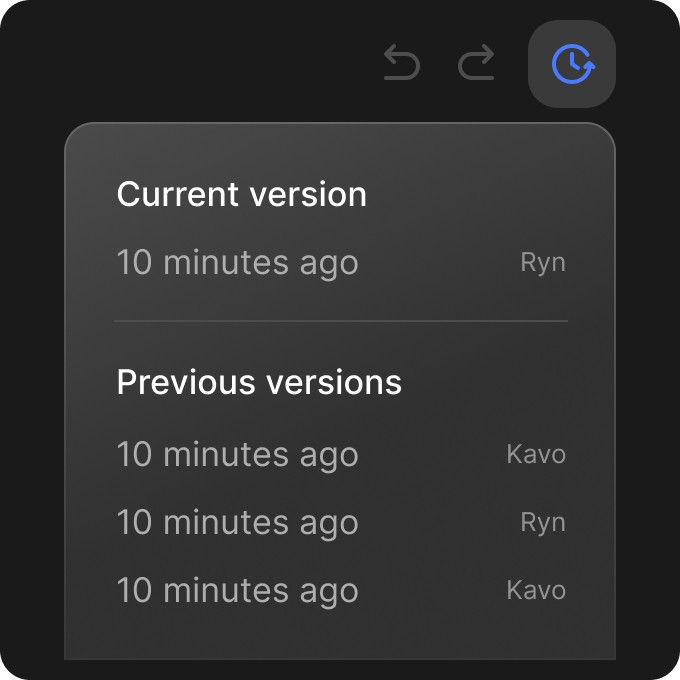
Revision history
Every change saved. Restore any version in one click.
Improve writing
Continue writing
Make it shorter
Ask AI
Polish a paragraph or keep going, without leaving the page.
Written in 70+ languages,
right to left included.
Write or translate any article in 70+ languages. Headings, images and links stay exactly where they were, and Arabic, Hebrew, Persian and Urdu read right to left.
EN
AR
Publish where your
readers already are.
Help Center
Getting started
Updated
Publish or replace
Send it to a page, space or repo, and replace it there when the article changes.
DOCX
MD
HTML
ODT
EPUB
Export in six formats
PDF, Word, Markdown, HTML, ODT and EPUB.

Share and embed
A share link, or the article embedded with its video, in light or dark.
The same recording
makes the video too.
Every recording can also become a narrated how-to video or a product demo. Share them together, or embed the article with the video on top.
Questions
What is an AI documentation generator?
What kinds of documents can it write?
Where do the screenshots come from?
Will it make things up?
Where can I publish?
Can my team edit together?
Which languages are supported?